
MultCloud lets you link all your cloud drives (Google Drive, OneDrive, Dropbox, etc.) into one dashboard so you can move files directly from one cloud to another without downloading them to your local device first.
This promo upgrades a free account to a 1-year Premium tier with a 200GB data transfer traffic limit instead of the standard 5GB (no credit card required).
How to claim?
- Create a free MultCloud account or log into to your account.
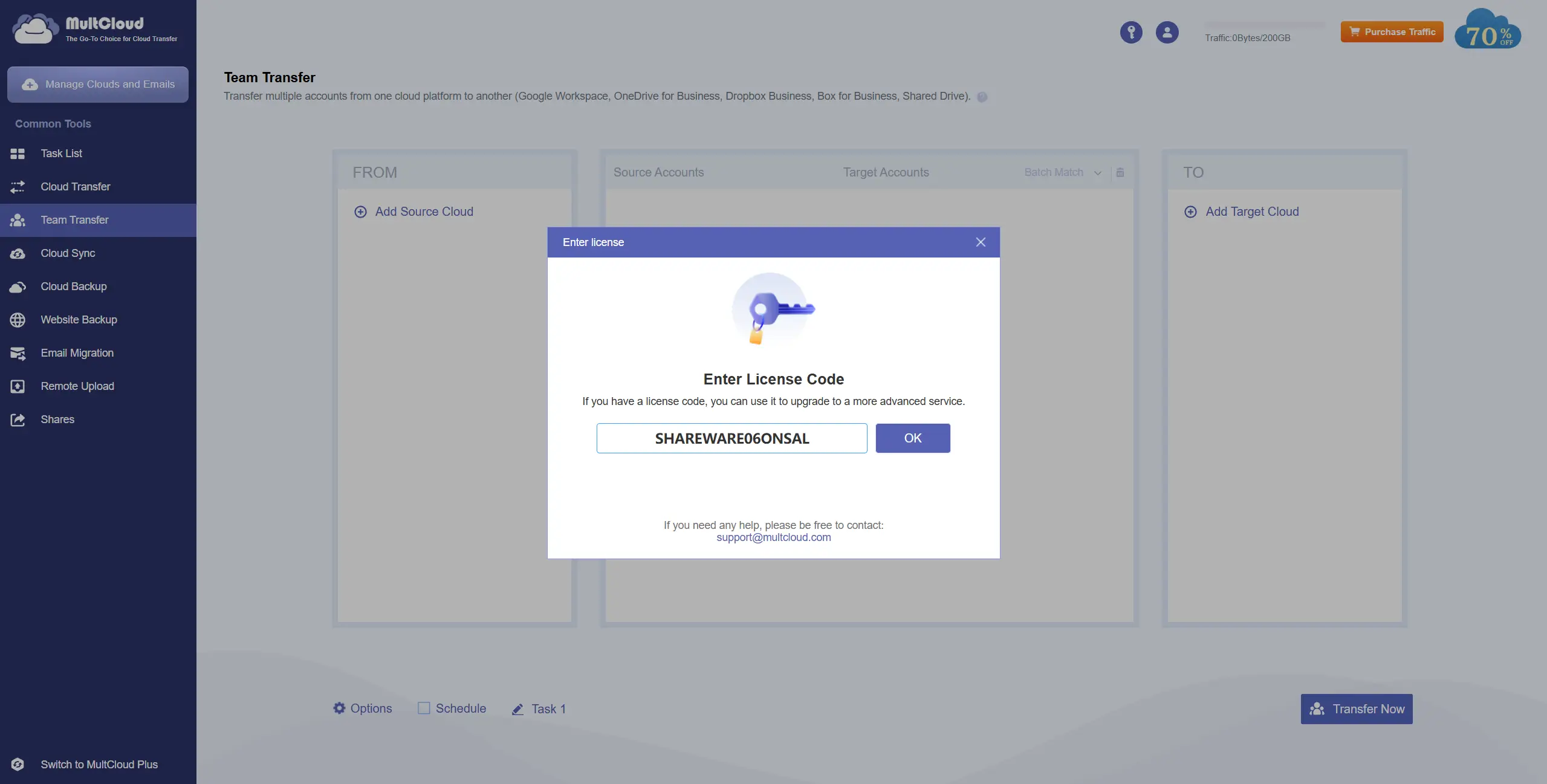
- Open your dashboard and click the "Key" icon shown top-right section.
- Redeem the license code:
SHAREWARE06ONSALClick to copy . - You will get instant upgrade to 200GB and 1-year Premium subscription.
Note: This offer may get expire pretty soon. So grab it quick while its live.
Key Benefits
- 200GB of data transfer bandwidth for cloud-to-cloud management.
- Add users to your account and share data with everyone.
- High-speed file synchronization and scheduled cloud transfers.
- Connects 30+ major cloud services (Google Drive, OneDrive, Dropbox, etc.) in one place.
Eligibility
| Requirements | • No Credit Card Required
|
|---|---|
| Criteria |
|
Join our Telegram Channel
Get instant, real-time alerts whenever new student discounts and deals are posted.